Managed runtime lifecycle
A managed runtime passes through 19 deployment states, from submission to deletion. Read where it is stuck, what you can do, and what is not available yet.
A managed runtime is driven by a platform YAML declaration; Studio does not edit the Agent inside the container, it projects the declaration into one DSH launch. The declaration format is fixed at agentengine.dsh-manifest/v1, capped at 900 KiB, and accepts exactly 8 fields (src/managed-runtime-manifest.mjs:9-12).
The declaration contract
| Item | Value | Source |
|---|---|---|
| Format | agentengine.dsh-manifest/v1 | src/managed-runtime-manifest.mjs:9 |
| Size cap | 900 KiB (900 * 1024 bytes) | :10, :28 |
| Allowed fields | name, description, framework, artifact_type, runtime, model, prompt, resources | :12 |
framework values | dsh-native, harness, codex | :11 |
runtime shape | Exactly the name and version keys | :44 |
artifact_type | Must be ManagedRuntime | :46 |
| Runtime profile | agentkit-runtime | src/runtime-host-installation.mjs:12 |
| Base bundles | @deepseek-ai/dsh-base, @deepseek-ai/dsh-web-app, @kingsoftcloud/agentkit-studio | :19 |
No inline credentials in a declaration
mcp_servers credentials can only reference deployment environment variables through env_refs; values are injected separately at deployment time. Inline credentials, query strings, fragments and backslashes are all rejected (src/managed-resource-contract.mjs). Any Agent write inside the container returns MANAGED_RUNTIME_READ_ONLY (src/managed-runtime-definition.mjs:79).
The main path: submission to ready
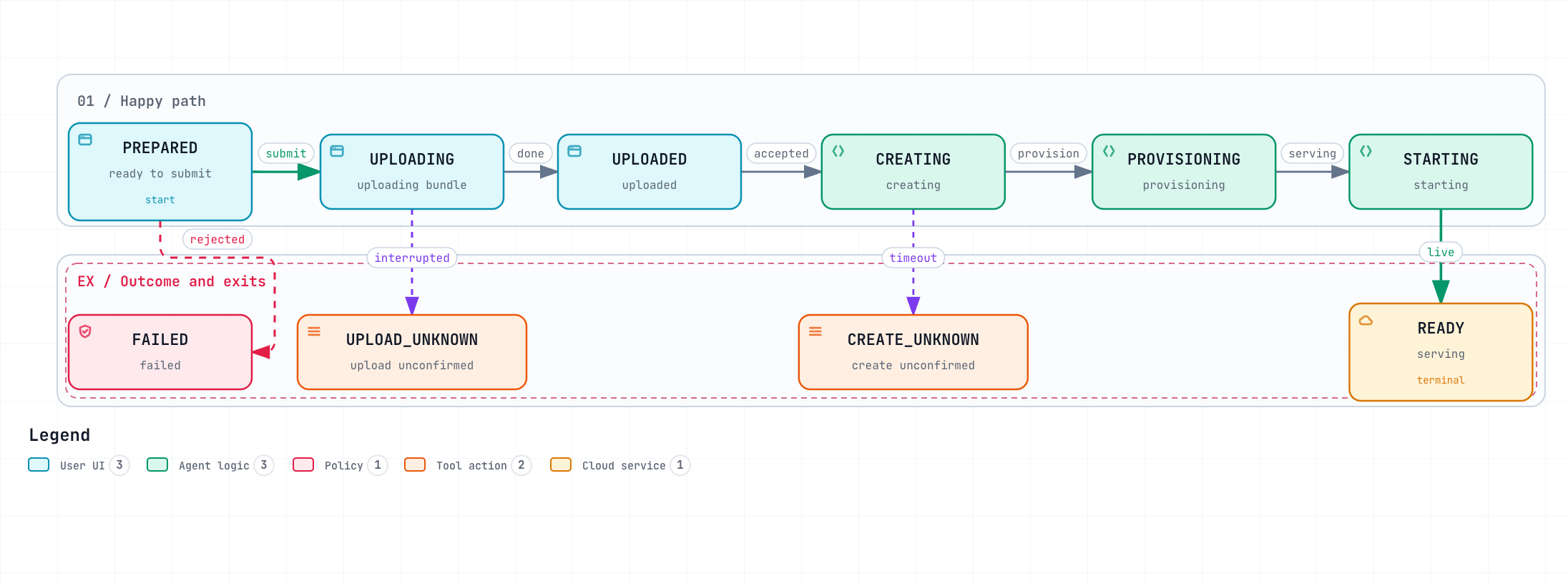
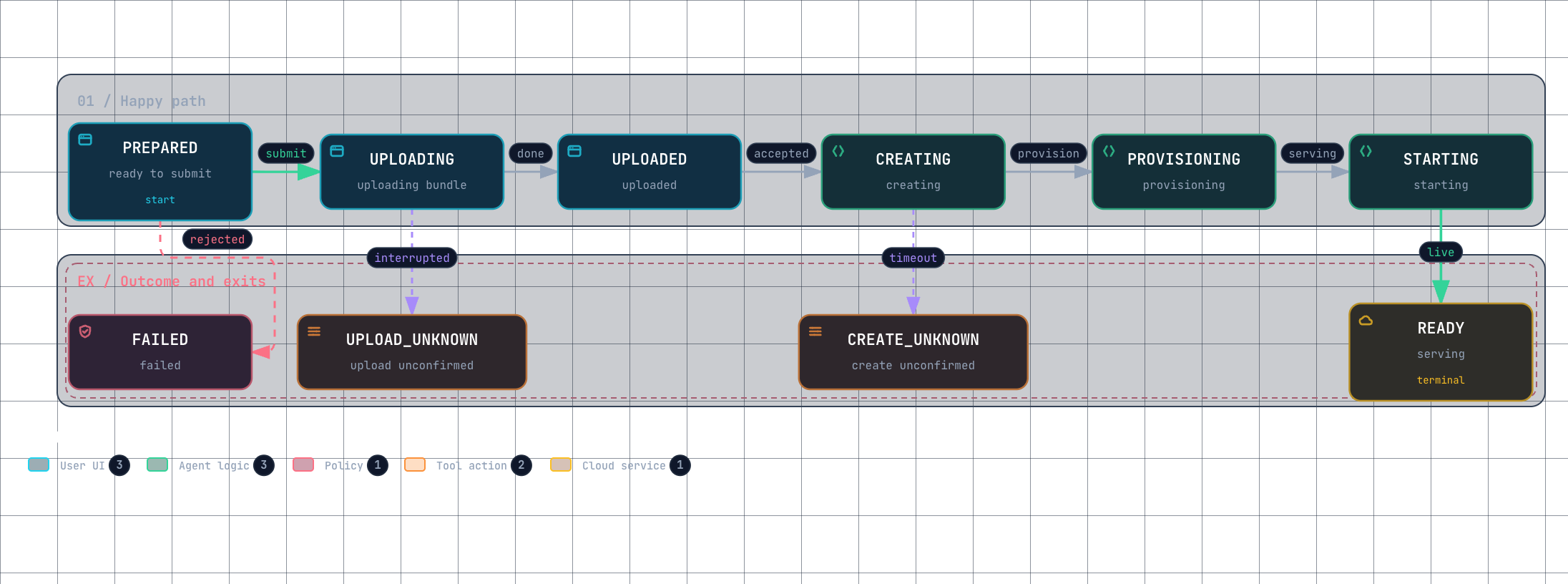
Start with the shortest route. This diagram has seven steps and three exits — it places most day-to-day questions.
 点击放大 · 滚轮缩放 · 拖拽平移
How to read it: once a deployment reaches FAILED that attempt is over — fix the cause and create again, it does not retry in place. Reaching a *_UNKNOWN means the platform did not confirm the outcome, so reconcile before acting.
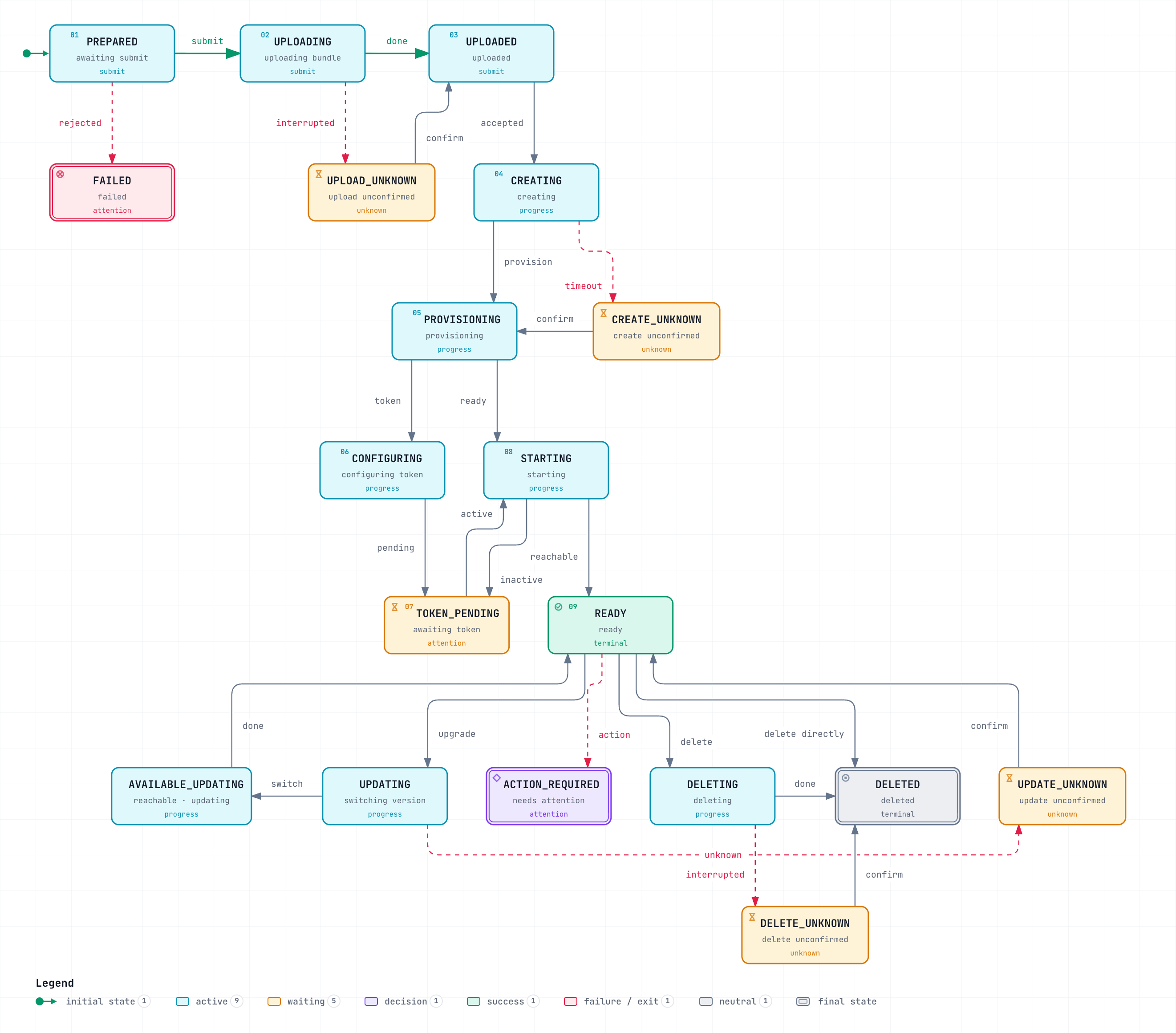
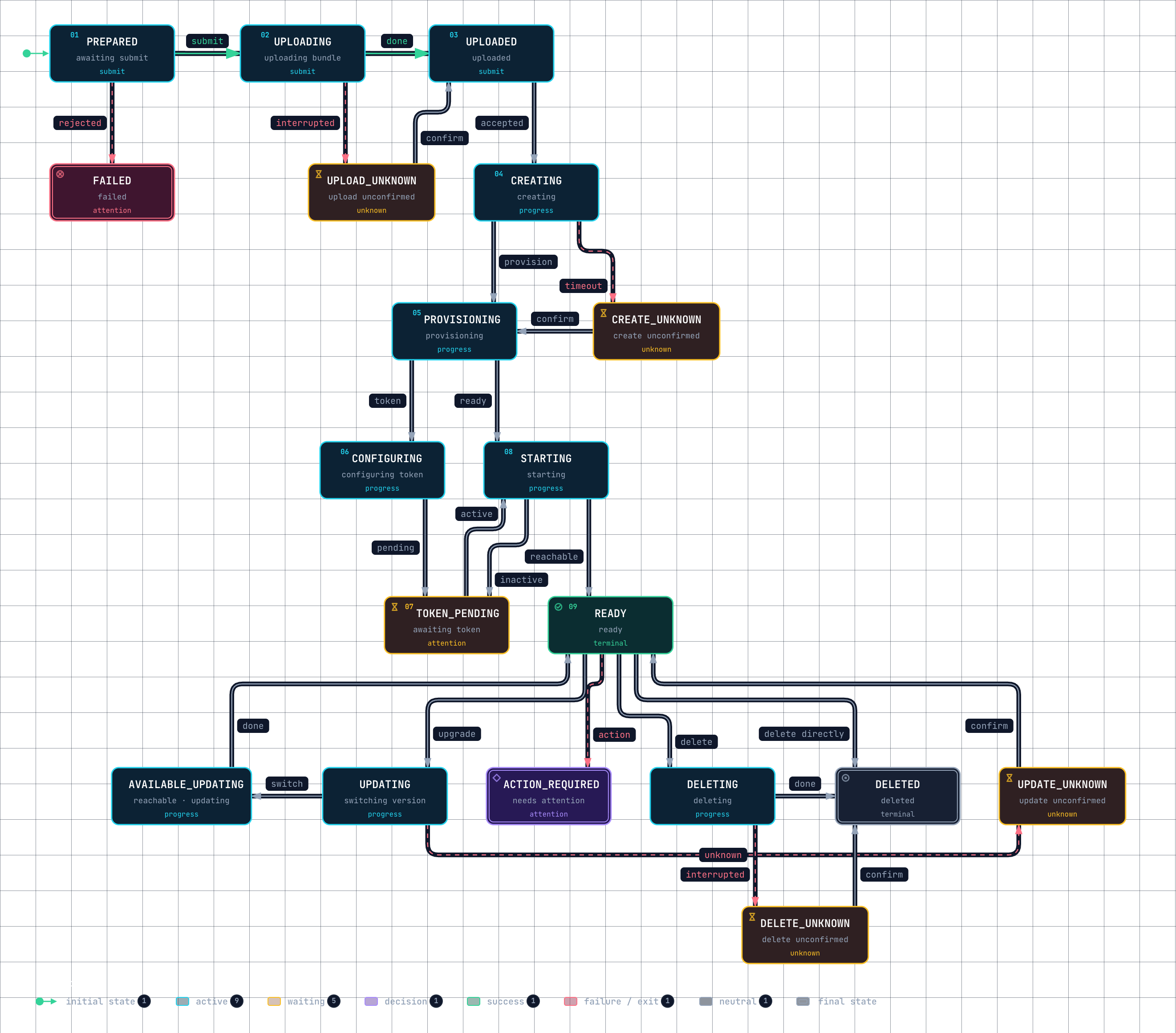
The full state tree: 19 states, 26 transitions
Updates, rollbacks, deletion and every branch live here. States are grouped by what you should do next, not by internal order.
 点击放大 · 滚轮缩放 · 拖拽平移
How to read this: grouping is by "what should you do next", not by internal ordering. The four *_UNKNOWN states have a fixed meaning — the platform did not confirm the outcome, so they are neither failure nor success, and the only correct action is to reconcile before acting. Treating one as a failure and retrying submits a paid operation twice.
Below is the precise transition list for the same machine, for cross-checking against code:
Source: src/studio-deployments.mjs:268-430, src/client/state/deployment.mjs:1. State names match the strings in code exactly — do not translate them, because they appear in API responses.
What you can do in each state
| State | Label | Meaning | What you can do | Auto-poll |
|---|---|---|---|---|
PREPARED | Pending submit | Record exists, bundle not uploaded | Submit as-is, or delete the record | No |
UPLOADING | Uploading bundle | Portable bundle in flight | Wait; an interruption becomes UPLOAD_UNKNOWN | No |
UPLOAD_UNKNOWN | Upload result unverified | Local flow interrupted, result unknown | Verify in the operations centre; do not re-upload | No |
UPLOADED | Uploaded | Bundle stored, waiting to create the cloud Agent | Wait for creation | No |
CREATING | Creating | Call to CreateAgent in flight | Wait; an interruption becomes CREATE_UNKNOWN | No |
CREATE_UNKNOWN | Create result unverified | Creation interrupted, an instance may exist | Verify in the cloud first; Studio will not create a duplicate | No |
PROVISIONING | Provisioning instance | Instance or token not ready yet | Wait; a long stay means the key is not ready | Yes |
CONFIGURING | Configuring access token | Writing the API key into AGENTKIT_RUNTIME_TOKEN | Wait | Yes |
TOKEN_PENDING | Waiting for the token to take effect | Token written, probe not passing | Wait; a long stay means the env var is masked | Yes |
STARTING | Starting | Instance running, but /health or the protocol probe has not passed | Wait; on repeated failure read the operations log | Yes |
UPDATING | Switching version, waiting for the entry point | Platform rolling a version | Wait for the entry point to recover | Yes |
UPDATE_UNKNOWN | Update result unverified | Update interrupted | Verify the cloud version, then decide whether to retry | Yes |
READY | Ready | Health, protocol probe and version all pass | Use it normally | No |
AVAILABLE_UPDATING | Entry point available, platform updating | Entry point up, rollout still in progress | Usable, but avoid hard dependencies | Yes |
ACTION_REQUIRED | Action required | Storage verification and similar need a human | Read failure.code, fix, retry | Yes |
FAILED | Failed | The cloud reported a definite failure | Read failure, fix, redeploy | No |
DELETING | Deleting | Deletion in flight | Wait | Yes |
DELETE_UNKNOWN | Delete result unverified | Deletion interrupted | Verify in the cloud, then retry deletion | Yes |
DELETED | Deleted | Logically deleted; native bytes are retained | Re-bind when ready | No |
Polling set: DEPLOYMENT_POLL_STATES (9 entries). Requires attention: DEPLOYMENT_ATTENTION_STATES (7 entries, including TOKEN_PENDING and the four *_UNKNOWN states). Source: src/client/state/deployment.mjs:3, :5.
The four *_UNKNOWN states are not errors
UPLOAD_UNKNOWN, CREATE_UNKNOWN, UPDATE_UNKNOWN and DELETE_UNKNOWN all mean the local flow was interrupted and the cloud result is unknown. Studio deliberately does not retry automatically, because creating a duplicate instance costs far more than asking you to verify once (src/studio-deployments.mjs:323, :362-363).
Platform capability matrix
A managed runtime declares only part of the surface and marks the rest explicitly unavailable rather than silently approximating it:
| Capability | Supported | Mode |
|---|---|---|
submit_interaction (human approval) | yes | native |
cancel / StopRun | yes | Native |
resume / ResumeRun | no | Explicitly unavailable |
background runs | no | Explicitly unavailable |
checkpoint / durable_restore | no | Explicitly unavailable |
goal / loop / plan | no | Explicitly unavailable |
attach / steer / inject | no | Explicitly unavailable |
| Attachments and workspace files | no | Attachments: false, WorkspaceFiles: false |
| Kernel session events | no | KernelSessionEvents: false |
Source: src/managed-runtime-capabilities.mjs:2-30.
Persistence is declared as dsh-native-disk with SharedAcrossPods: false, EffectiveFor: same_agent_version and ActiveRunRestore: false — resumable within one Agent version, not shared across Pods, and active runs are not restored automatically (:28-29).
State directory and identity
| Path / item | Purpose | Source |
|---|---|---|
<state>/.managed-runtime.json | Written on first boot, format agentengine.managed-state/v1 | src/managed-runtime-host.mjs:289 |
<state>/versions/<sha256(versionId)>/.managed-version.json | Version-scoped immutable receipt, format agentengine.managed-version/v1 | :296 |
<state>/dsh | DSH home, Agent-scoped, keeping sessions and settings across versions | :19-24 |
<state>/.dsh-adopted.json | Receipt for adopting a pre-fix version directory | :22 |
agentkit/managed-sessions | Managed session registry | :178 |
Reusing one VersionId with different declaration bytes fails: a version is immutable (:292-296).
Local port authentication and privacy boundary
This section covers the port the managed Host listens on locally. To call a deployed Agent's cloud API (
RunAgent, the SSE stream, the 37 AgentEngine Actions), see Cloud Agent HTTP API — that is a different authentication scheme and has nothing to do with the token here.
| Item | Rule | Source |
|---|---|---|
| Runtime token | AGENTKIT_RUNTIME_TOKEN is at least 24 characters | src/managed-runtime-host.mjs:273 |
| Trusted business identity | All four x-agentengine-* headers are required; missing returns 401 | src/managed-runtime-identity.mjs:5-18 |
| Subject identifier | Sort the four identity parts, then SHA-256, prefixed aeu_ | :21-24 |
| Version fence | X-AgentEngine-Target-Version-Id and X-AgentEngine-Manifest-Sha256 must match the loaded declaration, otherwise 409 RUNTIME_DEPLOYMENT_CHANGED | src/build-runtime-http.mjs:105 |
| One active run | A session with an active run returns 409 RUNTIME_SESSION_BUSY | :193 |
| Approval timeout | 2 minutes | src/managed-runtime-approval.mjs:25 |
Managed Host endpoints
A managed Host listens on a local HTTP port and the platform drives sessions through it. The surface splits into health/identity probes and the Actions under /agentengine/api/v1/.
| Method | Path | Purpose |
|---|---|---|
GET | /health | Readiness probe: 200 ready, 503 stopping |
GET | /v1/agentkit/runtime | Identity probe: AgentId, VersionId, manifest digest and runtime version |
POST | /v1/responses, /runs | Model run entry point (Responses transport) |
POST | /runs/<runId>/cancel, /v1/responses/<id>/cancel | Cancel one run |
POST | /agentengine/api/v1/<Action> | Session and history Actions (table below) |
| Action | Required fields |
|---|---|
GetAgentUiBootstrap | Name, SessionId |
ListAgentModels | Name |
CreateSession | SessionId |
GetSession | SessionId |
ListSessions | Page, PageSize |
DeleteSession | SessionId |
CancelRun | SessionId, InvocationId, ResponseId, ClientToken |
SubmitInteraction | SessionId, RunId, InteractionId, ExpectedRevision, Action, Response, IdempotencyKey |
ListSessionMessages | SessionId, Limit, AfterSeqId, BeforeSeqId, HistoryEpoch, SnapshotSeqId, CursorSource, IncludeReasoning, IncludeToolEvents, IncludeAttachments |
ListSessionEvents | As above, plus EventTypes, EventOrder, Offset, CheckpointIds |
AgentId and UserId are always allowed; an unlisted field fails with RUNTIME_ACTION_INPUT_UNSUPPORTED and an unknown Action returns 404 RUNTIME_ACTION_UNSUPPORTED (src/managed-runtime-actions.mjs:158-167, src/build-runtime-http.mjs:128-132).